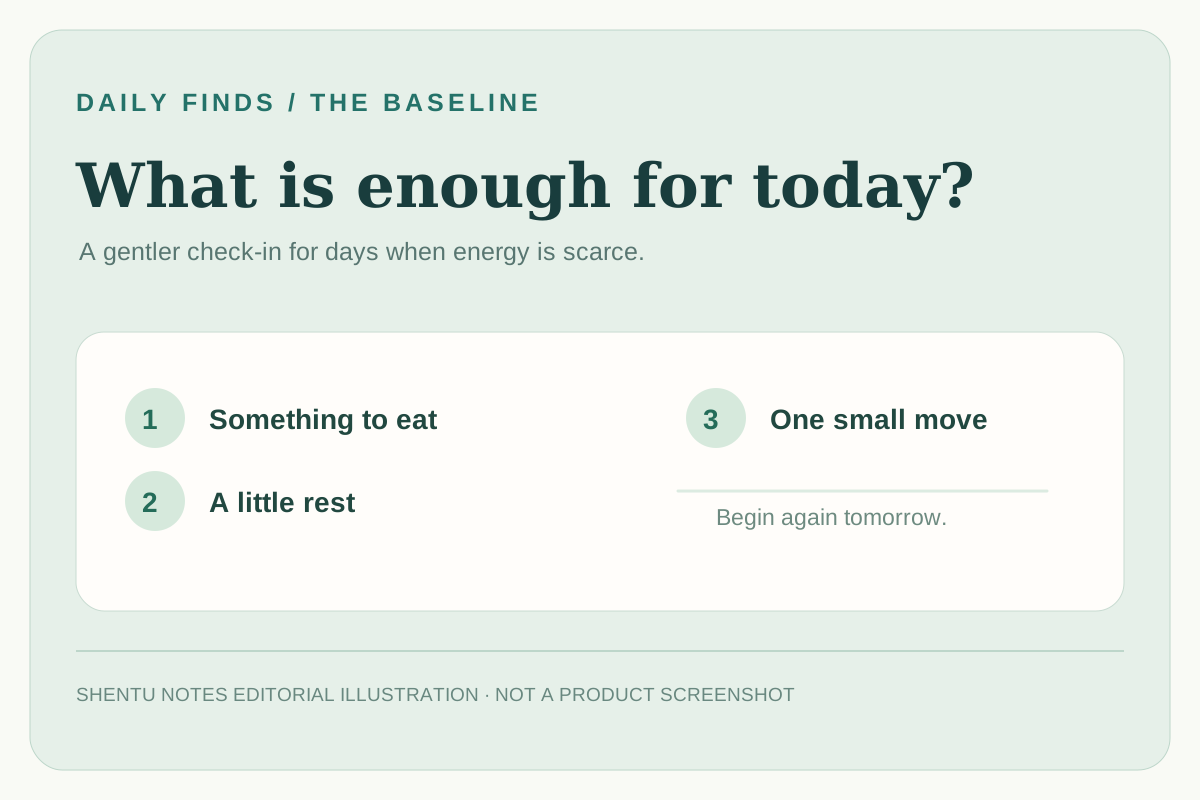
On a low-energy day, “build a better routine” can sound like another demand. You may need a simpler question: Have I eaten anything, rested, or moved a little today? The Baseline is an Android app built around that smaller scale. It places a few basic-care modules on one screen and lets you turn off the ones you do not need.
The idea worth borrowing is its daily reset. According to the maintainer, the app does not keep a history of food, sleep, or medication check-ins; the day's state clears for the next day. That makes it a check-in for the present, not a long performance chart. Your preferences and medication schedule can still persist. I reviewed the project's documentation, F-Droid listing, and developer-supplied app screenshots on October 26, 2026. I did not install it on an Android device, so the walkthrough below is a guide to the documented interface rather than a hands-on usage report.
What is on the screen?
The maintainer calls food, movement, and sleep the core modules. The F-Droid listing also names optional mental-state tools, medication reminders, and a grounding button. Modules can be enabled or disabled. The official home screenshot shows a mood check-in, sleep duration, movement, nutrition, and a large “I'm here. I'm alive.” button on the same screen.
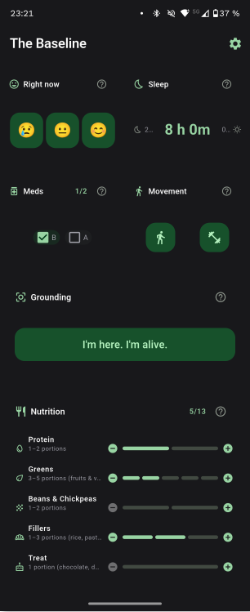

This is a more specific promise than “improve your life.” You can decide that eating something is enough of a food check for today. The app's nutrition display may offer more detail, but the maintainer's description explicitly starts with at least something. If tracking every category feels demanding, the optional-module design gives you a way to make the screen smaller.
A first-day approach
- If you use Android 7.0 or newer, open the Baseline page on F-Droid. F-Droid lists version 1.0.13 and recommends installing through its client for update notifications. The GitHub repository also links to releases. The public use route described in these sources is the Android app; I did not find a browser demo.
- In the app's settings, keep only the modules that answer a real need today. Start with one or two, such as food and sleep. This is an editorial suggestion based on the documented option to enable or disable modules, not a prescribed care plan.
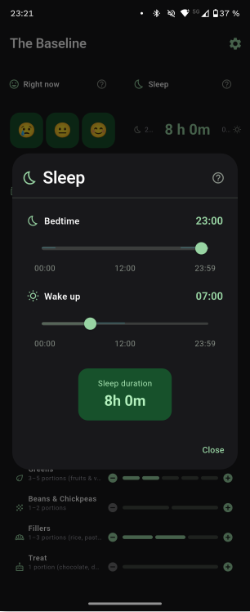
- Check in once. If you use the sleep section, the developer's screenshot shows bedtime and wake-up controls and a calculated duration. Treat that as a simple record of the times you entered, not a medical assessment of your sleep.
- Tomorrow, start fresh. The maintainer says today's entries reset rather than accumulating into a history. Notice whether that lowers the pressure to “catch up” after a hard day.

Try a five-minute version without an app first: write “food / rest / movement” on a note, then mark only what would be realistically helpful today. A check-in is useful if it helps you notice a need and act on it; it does not need to become another streak.
Why this one made the list
Baseline addresses a clear problem that many habit trackers miss: a difficult day may call for basic support, not another goal. Its daily reset and removable modules are the distinctive mechanisms. The app is free, and F-Droid reports no advertising or feature-reducing paywall. The repository is MIT-licensed. GitHub's repository API showed 21 stars and a most recent push on September 11, 2026 when checked on October 26, 2026. This is a small project selected for a specific use case; one dated snapshot does not establish rapid growth.
The maintainer and F-Droid state that the app has no analytics, cloud sync, or network connection, and that it does not connect to Apple Health or Google Fit. I did not independently inspect device traffic or the installed app. It runs on Android; an iPhone user would need another tool or could use the paper version of the check-in above.
A relevant boundary: Baseline is a self-care companion, not treatment for depression, disability, chronic illness, or burnout. Its own README warns that medication notifications can be delayed or missed by the mobile operating system and should not be relied on for critical medication. For health decisions or persistent difficulty with basic care, use appropriate professional support.
Original sources: project README and code, F-Droid app listing and install details, MIT license, GitHub repository metadata. The two interface images are developer-supplied product screenshots shown on F-Droid; the cover is a labeled Shentu Notes editorial illustration.