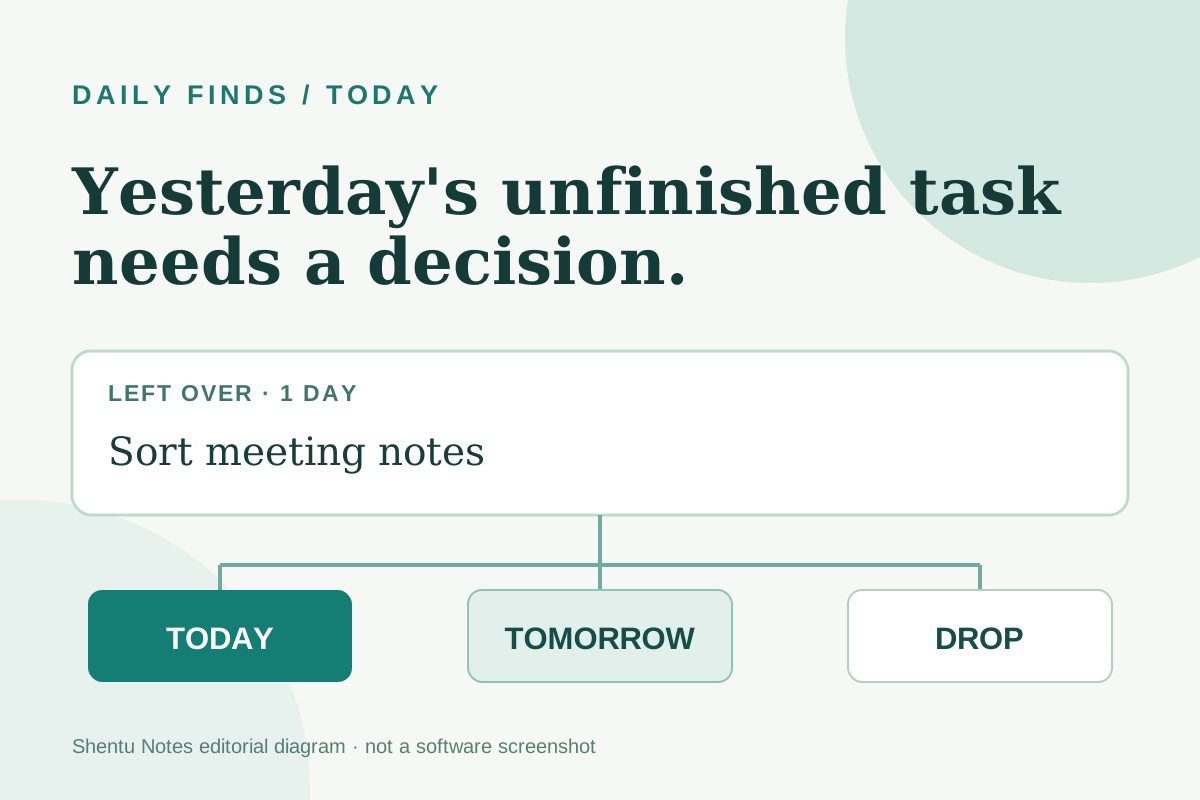
You open yesterday's task list and find the same unfinished item waiting for you. Carrying it forward feels harmless. After a week, though, the list can look like a record of promises you never consciously made. What would change if every leftover required a decision?
Today is a free, browser-based daily task list built around that question. You write tasks for a day. When you return the next day, unfinished tasks appear in a separate Left over panel. You choose Today, Tomorrow, or Drop for each one. I tested that flow on October 20, 2026 with two fictional tasks. It is useful if your problem is a growing daily list; it is intentionally small if you need team projects or cross-device sync.
Put one realistic task on the page
Open the official app. It asked me for no account or payment. I typed “Review one page of my draft ~20m” into the task field and pressed Enter. The ~20m marker set an estimate; a plain sentence works too. The page showed one open task and about 20 minutes left. A short, concrete action is easier to decide on tomorrow than an entry like “work on writing.”
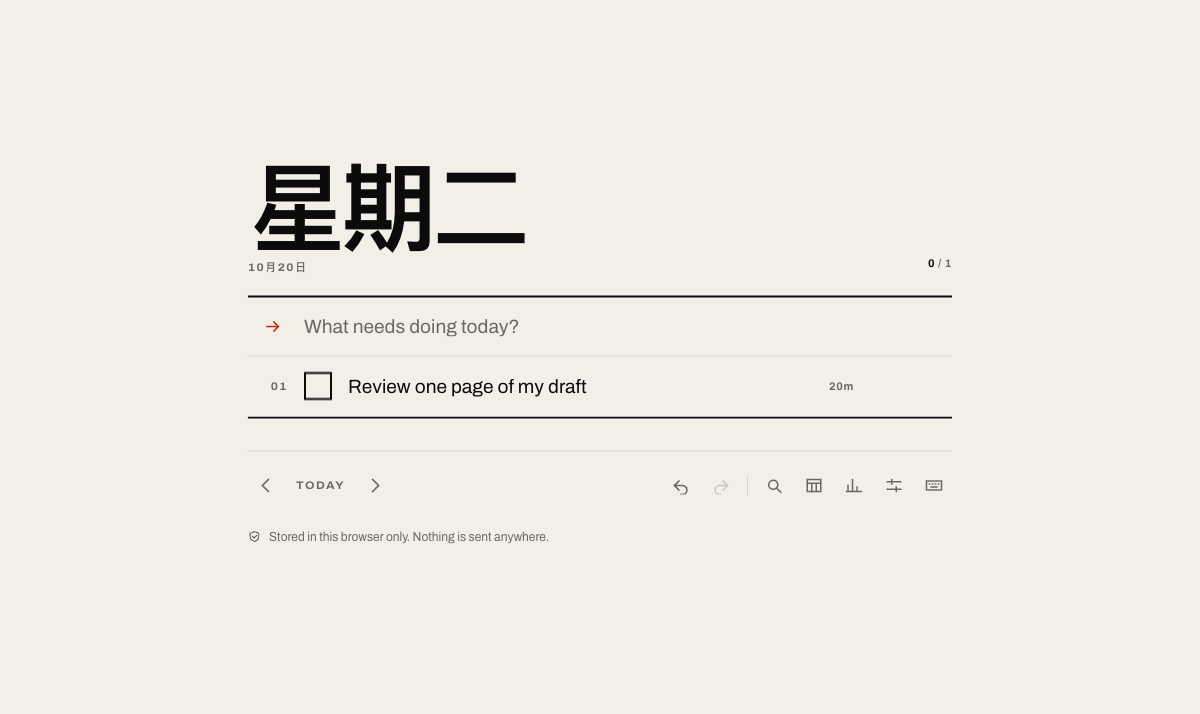
The README also documents #tag for a label and !1 to !3 for priority, but you do not need those to try the daily loop. Start with two or three tasks you might actually finish.
Make the leftover decision visible
To test the next-day step without waiting overnight, I navigated to the previous day and entered the fictional task “Sort notes from the meeting.” I returned to today. A Left over — 1 thing panel appeared above today's list, marked the item as one day old, and offered Today, Tomorrow, and Drop. This reproduced the decision screen, though I did not test a real overnight browser restart.
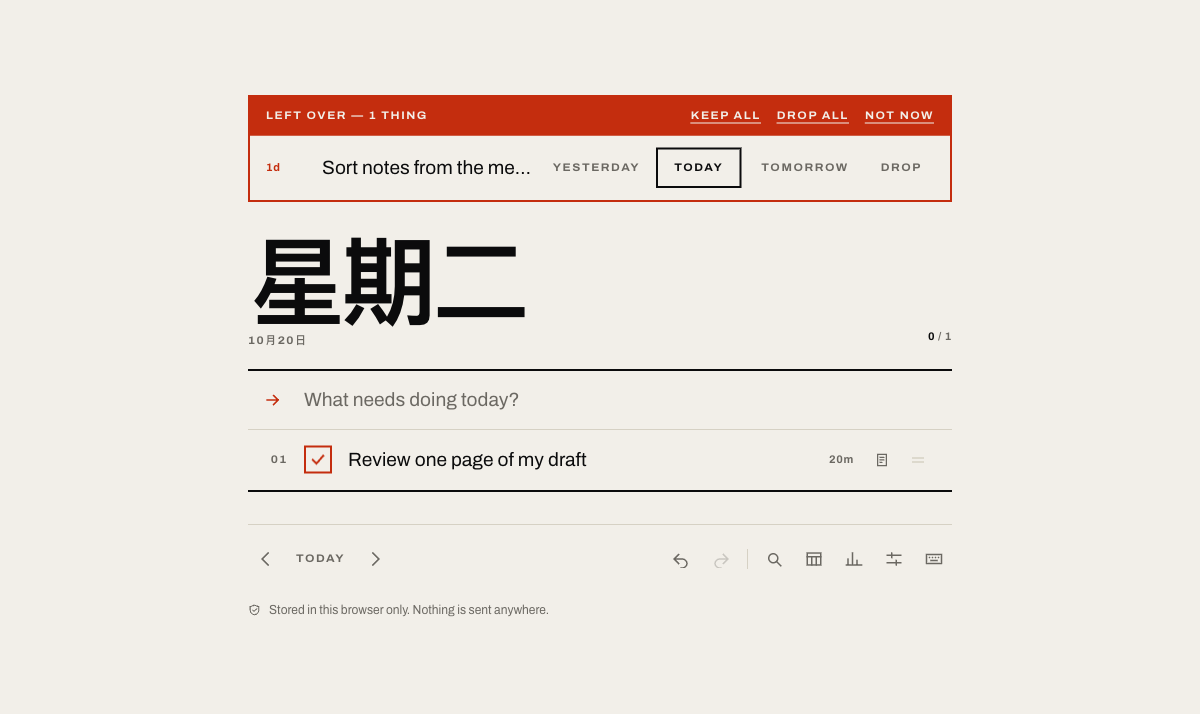
I chose Today. The leftover panel closed and the task joined today's list with a 1d age marker. That extra step is the project's distinctive feature: the item did not quietly become today's commitment. In a real morning review, ask whether it still matters, when it matters, and whether a smaller next action would help. Drop can be a legitimate decision when the task no longer serves anything important.
A five-minute routine to try
- Write at most three concrete tasks for today. If an item is vague, turn it into a visible action such as “open the document and outline one paragraph.”
- On your next visit, examine each leftover before adding new tasks. Choose Today only if you will give it time today; use Tomorrow for a deliberate deferral; choose Drop when it is obsolete.
- Notice what keeps coming back. The tool does not tell you whether a task is worth doing. Repeated deferral is a cue to reconsider the task, its size, or the promise behind it.
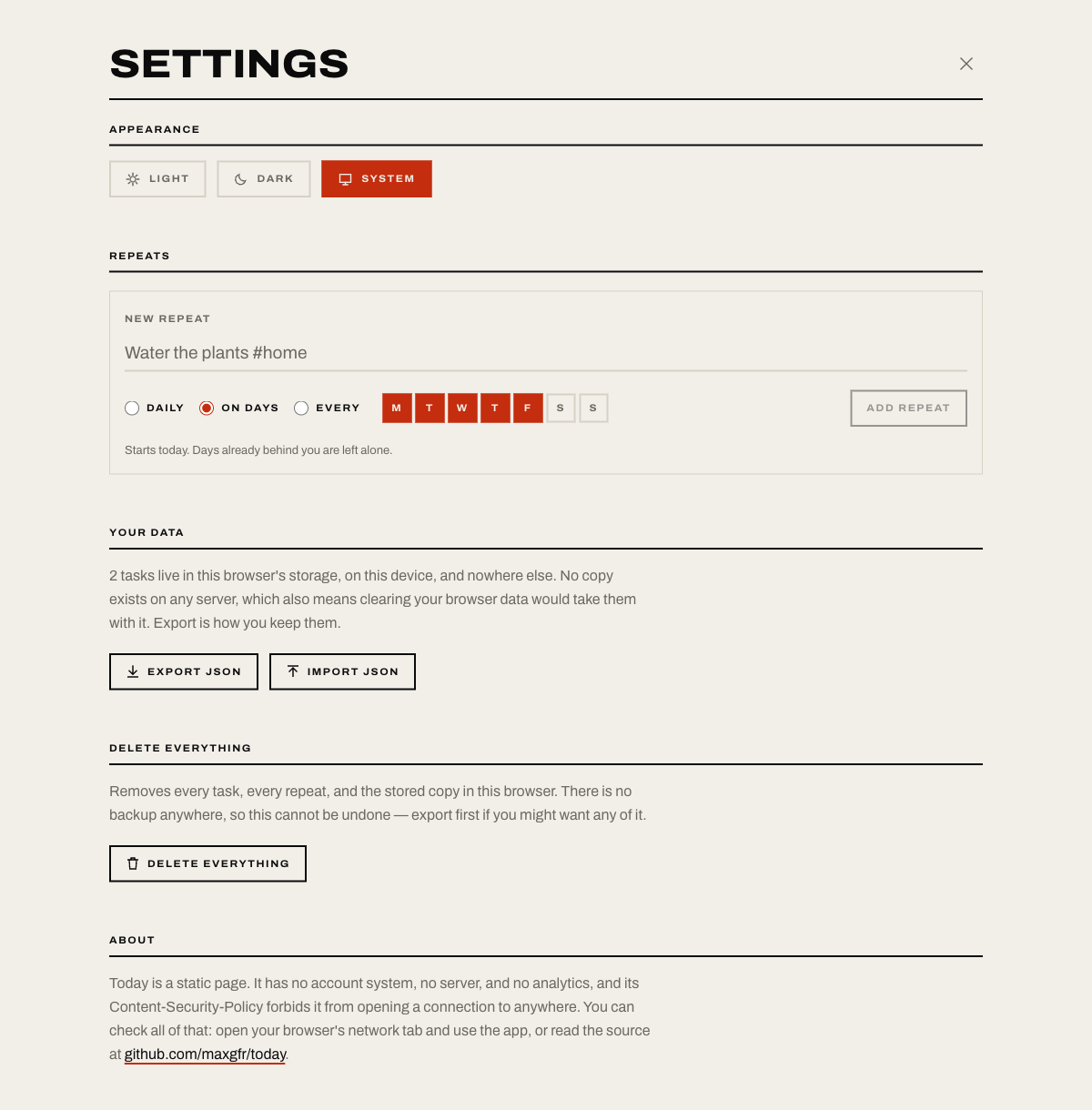
- At the end of a useful week, open Settings → Export JSON and keep a copy somewhere you control.
The export step matters. In the hosted app's Your data section, I saw an Export JSON button and a notice that tasks live in this browser's storage; clearing browser data removes them. The project documents the JSON export and import. It does not offer account-based sync or a server backup.
Why this small project made the list
The official repository describes a static, offline-first app with no account, server, or analytics, and its MIT license permits open-source reuse. The hosted flow worked in my browser for task entry, manual date navigation, leftover triage, and the visible export controls. A GitHub API snapshot on October 20, 2026 showed 1 star, a non-archived repository, and code pushed that day. I selected it for the unusually clear leftover decision, not for popularity; one snapshot says nothing about star growth or long-term reliability.
The developer says the app stores tasks locally in IndexedDB and can work offline after the first load. I did not audit network traffic, offline behavior, import recovery, or long-term storage. Treat the privacy and resilience claims as project documentation until you verify them for your own use. Avoid entering sensitive details in any new tool, and export before clearing browser data or changing devices.
Original sources: repository and README, hosted app, MIT license. The cover is a Shentu Notes editorial diagram, not a software screenshot. The three interface images are my own dated captures from the official hosted app using fictional tasks.